WHOOP, Zwift and Peloton: what changes when fitness apps connect
One ride, several tools and a practical question: do I really need to record everything twice? Connections between platforms can simplify a training diary. Here is what they do and how to decide which data to share.
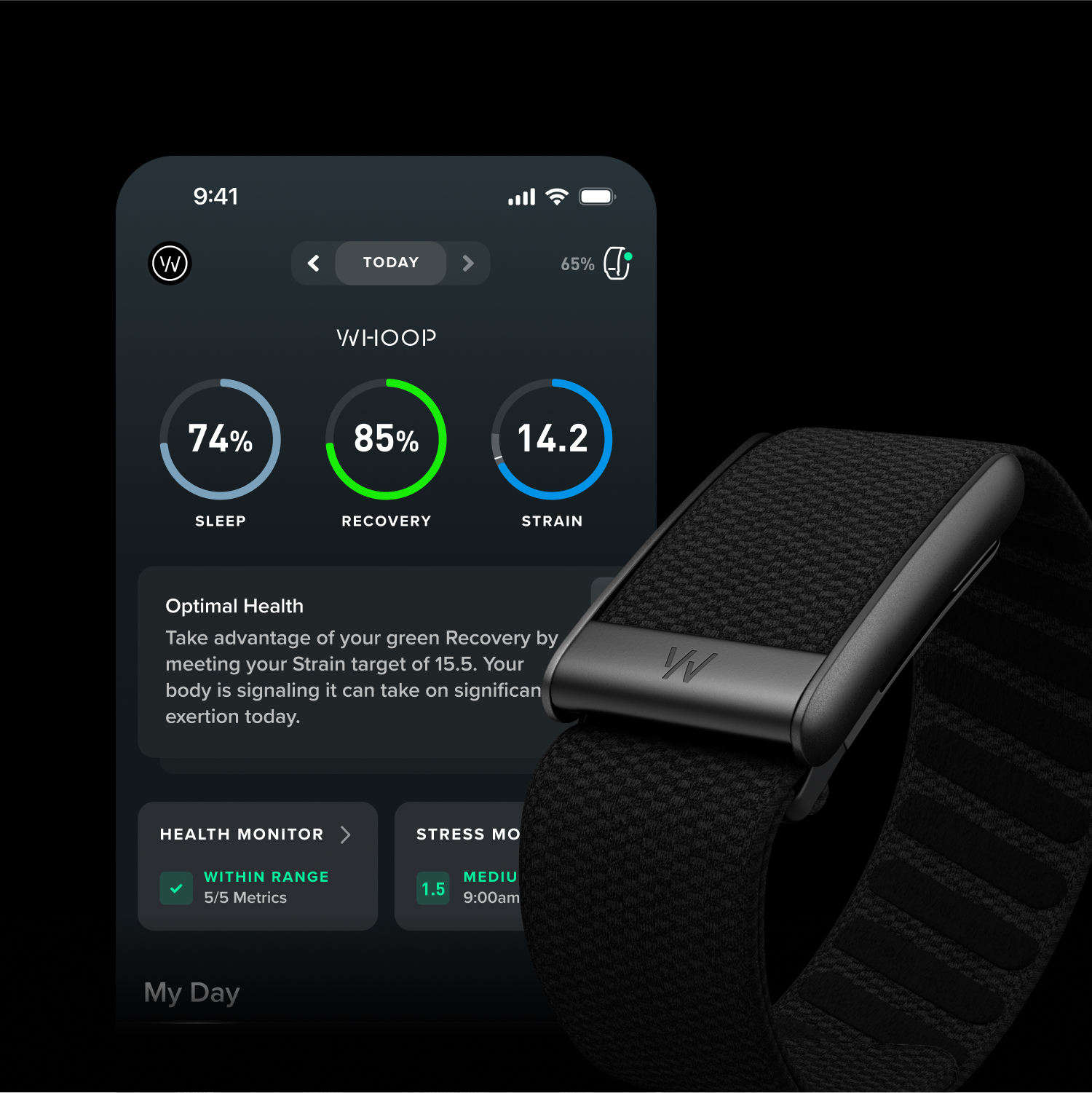
You finish a ride and, before taking off your shoes, begin a small tour of your apps. One describes the route, another the effort, while a third displays a recovery score. If you train with several tools, you may recognise the feeling: one body, several screens trying to describe it. Connected fitness is interesting when it helps organise that information and leaves you more time to enjoy moving.
On 28 October, WHOOP presented its connections with Zwift and Peloton; an official Zwift guide was already available on 20 October. The aim is straightforward: bring some information together so the end of a workout does not become another round of copying data.
One workout can travel between platforms
According to WHOOP, Peloton workouts can sync to its platform. The Zwift connection imports rides and runs into WHOOP and displays WHOOP Recovery in Zwift Companion. These are information flows between linked accounts. The integration does not replace the equipment needed to exercise, and it is not a single subscription covering every service involved.
Before linking accounts, decide which problem you want to solve. Would you like a session to appear in your diary without entering it manually? Do you want to see certain information on a screen you already use? Or would another graph simply add confusion? Your answer lets you judge a feature by what it contributes to your day, without feeling obliged to use every available option.
With Zwift, each direction has its own permission
If you use both WHOOP and Oura, the official forum explains that you can choose a default source in Zwift Companion’s Connections page. Checking where a score comes from helps you understand screens drawing on different information.
WHOOP’s guide distinguishes importing Zwift activities from sending WHOOP information to Zwift. Each direction requires its own connection. Before confirming, read the authorisation screen and check which service you are giving access to. Recognising a logo is only the beginning: look at the information requested and consider whether sharing it serves a purpose for you.
If you choose to connect, follow the current official instructions linked in our sources. Menu names and interfaces can change. You can stop after reading a permission request or ask support to explain a step you do not understand. Two tools being able to communicate does not remove your choice about how much you want to connect them.
Recovery is information, rather than your report card
A score is easy to read and easy to take very seriously. You might feel pleased when it rises and disappointed when it falls. Leave room for a simpler question too: how do I feel today? Your digital diary can sit alongside that answer without turning each morning into an assessment before the day has even begun.
The value of connecting platforms is the possibility of understanding information more clearly, not a promise to predict everything you need. An algorithm cannot know every detail of your experience, and a score is not a clinical assessment. Health concerns, symptoms or personal limitations deserve discussion with an appropriately qualified professional. You do not need to interpret every change in a graph on your own.
Check costs and compatibility for your circumstances
WHOOP says the Zwift integration carries no additional integration charge. That does not make the underlying services free. Check devices, subscriptions and the conditions applying to your account before purchasing. A feature may be useful for someone who already owns two tools without justifying a new purchase for someone who does not use them.
If Peloton interests you, check its offering for Italy and ask support which devices and features you can use. Explain how you would like to train: that will help you decide whether the connection suits you.
A small check before deciding it works for you
After connecting, you can check a normal activity already planned in your routine. Does it appear where expected? Can you recognise it? Is the information you wanted present? There is no need to exercise more for this check. The aim is to see whether you have achieved the simplification you wanted. If something is wrong, retain the details needed by support rather than repeating the workout to repair a diary entry.
Before disconnecting a service, read what happens to imported activities and the permissions you granted. Stopping new exchanges and managing existing records can be different operations. The provider’s instructions are the reference for your account. Avoid assuming that a single button automatically removes every copy of information held across different platforms.
Good technology leaves room for your life
The ACSM 2027 report published on 20 October ranks wearable technology first. This is an industry finding rather than a recommendation to buy a device. You can enjoy a ride with a detailed diary or without checking a number, and you are allowed to change your habits over time.
The useful possibility here is making one step simpler when that step matters to you. If a connection gives you time and clarity, that is welcome. If you prefer fewer tools and a walk with a friend, that choice is equally yours. An app may keep the record, while you remain the person who decides what an experience means and how you want movement to fit into your life.