How to identify stars and constellations for free with your phone
Use a free sky map and three naked-eye exercises to find Orion, Polaris and the Summer Triangle.
Jump to what you need
- Find your first stars in five moves
- Check the location and time before you head out
- Start with what is above your horizon
- Match the screen with what you see
- Orion, three stars in a row
- Follow the Big Dipper to Polaris
- In summer, start with Vega
- A ten-minute city stargazing session
- Save two targets for a night without a signal
Find your first stars in five moves
Open Stellarium Web in your phone browser, set your location and keep the time on the current moment. Switch on the constellation lines and search for a name such as Orion, Polaris or Vega. See where the target is in relation to the horizon, put the phone down and look for the same pattern in the sky. The web map is free and runs in a browser with JavaScript and an internet connection. If you want to point the phone at the sky, the basic version of Stellarium Mobile for Android and iPhone includes stars, constellations, sensor controls and night mode. The Plus upgrade is optional. Your first outing only takes your eyes, a patch of open sky and a clear evening.
Check the location and time before you head out
You can let the map use your device location or choose your town or somewhere nearby manually. Check the place displayed in the location selector and make sure the clock matches the place you are observing from. If you are planning to go out later, move the clock to the time you expect to get there. Switch it back to now when you go outside. It is easy to forget, and the map can work perfectly while showing you the sky two hours from now. Use the search field to bring a target into view and turn on the lines for the pattern you want to follow. Leave the large constellation illustrations off if you want a clearer view of the individual stars.
Start with what is above your horizon
A planetarium can find something even when it is below the horizon. If that happens, leave it for another time and pick a star or pattern that appears above the line. Find something far enough up to clear roofs and trees in the direction you can see. In a courtyard, start by looking at the extent of the opening. Pick a target that fits inside that window of sky. From an east-facing balcony, you can follow objects rising on that side. If your only opening faces north, try Polaris or the Big Dipper when you have a clear line of sight. Even a spacious view can have a bright corner that makes it harder to pick out stars, so look for a different direction if you can.
Match the screen with what you see
Start with a direction you know. If needed, find north from the orientation of your street on a map. Drag the sky map until that direction is at the bottom centre. Adjust the zoom so you can still see a useful stretch of horizon or several stars in the same view. In the app’s sensor mode, point the phone towards your target. If the display looks offset, step away from metal railings or magnetic accessories and switch to manual navigation if that does not help. The Moon is a useful check when you can see it. Its shape and position make it easier to notice a map that is still set to a different time or pointing in a different direction.
Orion, three stars in a row
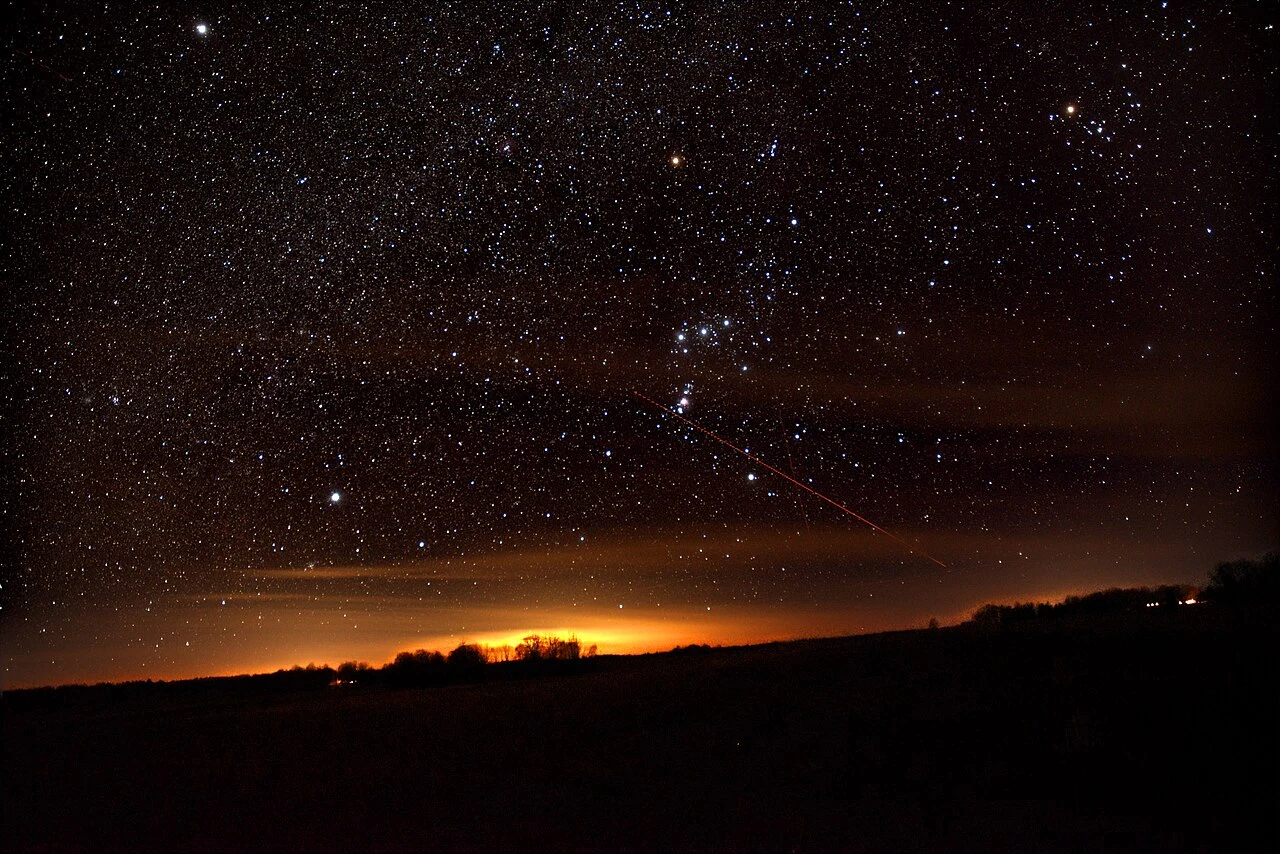
On winter evenings in the Northern Hemisphere, look for three bright stars close together in an almost straight line, with similar gaps between them. These are Mintaka, Alnilam and Alnitak, the stars of Orion’s Belt. Find them as a group and then widen your view to look for Betelgeuse and Rigel on opposite sides of the pattern. Compare the distance of those stars from the Belt on the map. Orion’s angle changes during the evening, so the row may look tilted. Use the spacing to recognise it. The Sword is below the Belt in the figure. In a dark, clear sky the area of the Orion Nebula can look fuzzy. Under city lights, finding the Belt is a success in itself. The January 2023 video also introduces Taurus, Gemini and Orion’s dogs. Use the live map for current Moon and planet positions.
Source: NASA/JPL-Caltech ↗
Follow the Big Dipper to Polaris
Look for a ladle made of seven stars, four for the bowl and three for the handle. Find the two on the rim opposite the handle, Merak and Dubhe. Draw an imaginary line from Merak through Dubhe and extend it about five times the distance between those stars. Near the end is Polaris, at the tip of the Little Dipper’s handle. The Big Dipper is an asterism, a familiar figure within the larger constellation Ursa Major. Through the night the ladle seems to tip around the north, while Polaris stays roughly in place. If buildings hide the Dipper, search for Polaris directly on the map and use a landmark on the ground to check which direction you are facing.
In summer, start with Vega
The Summer Triangle covers a much wider patch of sky than Orion’s Belt. Its corners are Vega in Lyra, Deneb in Cygnus and Altair in Aquila. Find a match between two points first, then check the location of the third. Zoom out to see the whole shape. Once you have Deneb, switch on the lines and trace the long axis of Cygnus. If a roof cuts off a corner, make a note of the stars you recognised and try again when the pattern has moved or you can observe from a more open spot. Use the map to work out the best time from that spot. In summer and early autumn, you can often choose a convenient time to look up without having to stay out late.
A ten-minute city stargazing session
Pick an accessible spot where the nearest bright lamp is out of your direct view. Dim the screen or switch on night mode. Spend the first minutes getting your bearings, then pick a single target and give yourself more time looking up than looking at the display. Compare the angles and distances between stars. Two points close together and a third further away tell you more than brightness alone. If a gap in the clouds opens briefly, pick the clearest star in the patch and then look for a second point nearby. Make a quick note of place, time, direction and the name you found. Try again the following evening at about the same time. Keep the screen off for your first attempt. When you recognise the shape from memory, you can use it as a starting point for the one next to it.
Save two targets for a night without a signal
Before leaving home, check which way you will need to look and choose a backup in a different part of the sky. Take a screenshot with the names and the horizon visible. The mobile app also works without a connection with a reduced catalogue. Open it before setting out, check your location and give the search a try. That way you can spend the evening looking at stars without having to find a signal first.
SOURCES AND FURTHER READING
Did this story touch your heart?

Psst… you’ll like this too!
Meet the Sun’s “great-grandmothers”: stars up to 12.5 billion years old!
Read the story ↗Share this story